Free Download

Field Visit Report Template

A ready-to-use Google Sheet template for field sales visit reports — with all the columns you need to track visits, outcomes, and follow-ups in one place.

Opens in Google Sheets · Works on desktop and mobile

Everything you need in a field visit report

11 ready-to-use columns, sample data, dropdown lists, and instructions — no formatting required.
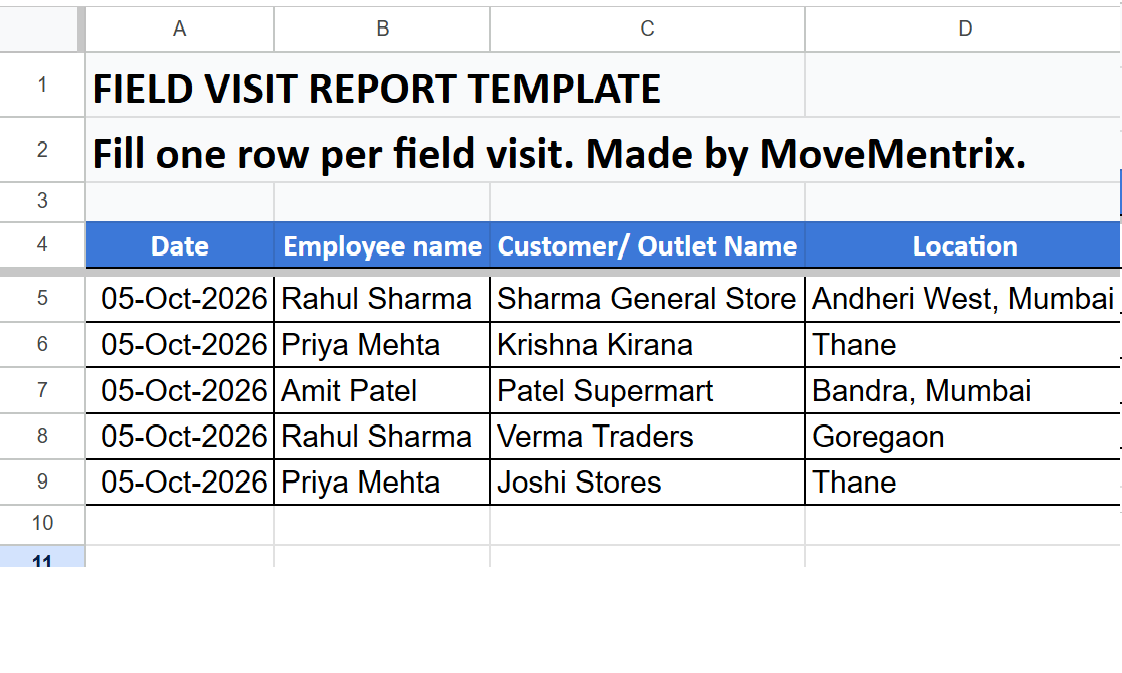
Field Visit Report Template — Google Sheet Preview

What's included

  • Date & time fields for every visit
  • Employee name, customer/outlet name
  • Location (with GPS-friendly format)
  • Check-in and check-out times
  • Visit purpose dropdown (9 options)
  • Activity completed description
  • Outcome dropdown (7 options)
  • Next follow-up date
  • Manager remarks column
  • 5 sample rows with real-world scenarios
  • Instruction header for team onboarding

Built for field teams

If your team works outside the office, this template is for you.

FMCG Sales

Track daily beat plan visits, orders, and outlet coverage.

Pharma MR

Record doctor and chemist visits with detailed outcomes.

Service Engineers

Log installation, repair, and complaint resolution visits.

Distribution

Monitor stock checks, delivery confirmations, and payments.

How to use the template

Three simple steps to get started.

1

Click "Get the Template"

Sign in with your Google account. Google will prompt you to make a copy of the template to your own Drive.

2

Rename and customize

The copy is now yours to edit. Rename it, add or remove columns, adjust the dropdowns to fit your team's workflow.

3

Share with your team

Share the Google Sheet with your field reps so they can fill it in daily. Or upgrade to an app-based system for automatic GPS verification.

Automate this report with MoveMentrix

Our free template gives you a great starting point. TeamTrail takes it further — automatic GPS check-ins, verified visit photos, and real-time dashboards. No more manual data entry.

📥 Download Free Template 🚀 Book a Free Demo